
Professional Virus Removal in Las Vegas & North Las Vegas
Is your computer running slowly, displaying strange pop-ups, redirecting your browser, or showing frightening security warnings? You may be dealing with a virus, malware, spyware, a browser hijacker, or unwanted software.
Las Vegas PC Repair provides professional virus removal and malware removal for Windows desktop and laptop computers throughout Las Vegas and North Las Vegas. We help homeowners and businesses diagnose infections, remove malicious programs, repair affected Windows components, and restore normal operation whenever possible.
Since 2006, we've helped local customers resolve difficult PC problems while working to protect their important programs, settings, photographs, documents, and personal files.
With more than 30 years of computer repair experience, we focus on diagnosing the underlying problem instead of automatically recommending a complete Windows reinstall.
- Virus, malware, spyware, and Trojan removal
- Fake Microsoft warning and tech-support scam cleanup
- Browser hijacker and unwanted extension removal
- Windows repair after malware infections
- Ransomware evaluation and data protection advice
- Mobile computer repair for homes and businesses
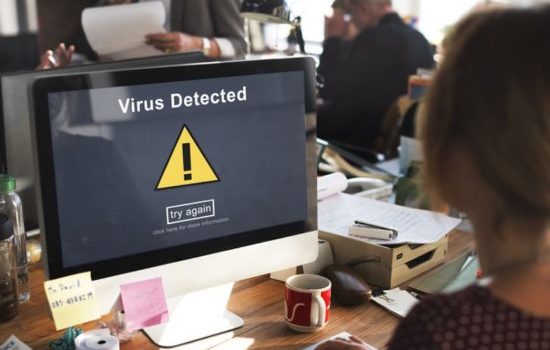
Illustration of suspicious virus-warning pop-ups — not an actual security scan.
Don't Let Malware Hold Your Computer Hostage
Malicious software can interfere with Windows, steal information, change browser settings, and sometimes make important files inaccessible. Other threats use convincing fake warning messages to frighten people into calling fraudulent support numbers.
If your computer suddenly behaves differently, don't assume the first warning you see is legitimate. A message claiming that Microsoft has locked your computer may simply be a malicious webpage designed to trick you.
Don't Trust Suspicious Pop-Ups
- Never call a phone number shown in an unexpected browser warning
- Don't share passwords or banking details
- Don't grant remote access to an unknown caller
- Avoid downloading unfamiliar security programs
Protect Your Computer
- Stop interacting with suspicious messages
- Disconnect from the network if someone has unauthorized remote access
- Use a trusted device to secure affected accounts
- Have the computer evaluated before entering sensitive information again
Las Vegas PC Repair helps customers throughout Las Vegas and North Las Vegas address malware infections, suspicious software, fake alerts, and Windows security problems.
Common Signs Your Computer Has a Virus or Malware
Some computer infections create obvious symptoms, while others remain harder to recognize. Not every symptom below proves malware is present, but these problems frequently justify a security inspection.
Unusual Computer Behavior
- Windows becomes unusually slow
- Programs freeze or crash repeatedly
- Unknown software appears on your PC
- Antivirus protection stops working
- The computer restarts unexpectedly
Browser & Internet Problems
- Advertisements and pop-ups appear constantly
- Search results redirect unexpectedly
- Your homepage changes without permission
- Unwanted browser extensions appear
- Fake security alerts demand immediate action
Account & Security Problems
- Unexpected account login notifications
- Unfamiliar remote-access programs
- Suspicious emails sent from your account
- Security settings changed without permission
- Requests for money to unlock files
Files & Windows Problems
- Documents suddenly won't open
- Files appear missing or encrypted
- Windows startup becomes unreliable
- Unknown processes consume computer resources
- Problems begin after a suspicious download
Some of these symptoms can also result from hardware problems, failing storage, overheating, or Windows corruption. Our computer repair services can help identify problems that are not actually caused by malware.
Virus, Spyware, Trojan & Ransomware Removal
Different types of malicious software can affect a computer in different ways. Identifying the actual threat helps determine an appropriate cleanup and recovery strategy.
Computer Viruses & Trojans
Malicious programs can modify Windows settings, install unwanted applications, interfere with normal operation, or provide unauthorized access to the system.
- Suspicious program identification
- Malicious startup process investigation
- Threat removal when possible
- Windows repair after infection
Spyware & Unwanted Programs
Spyware and unwanted applications may collect information, create misleading warnings, or use computer resources without your informed permission.
- Unwanted software investigation
- Suspicious startup behavior checks
- Security setting restoration
- Account protection recommendations
Browser Hijackers & Adware
Browser hijackers can redirect search results, change browser settings, display persistent advertisements, and install unwanted extensions.
- Suspicious browser extension cleanup
- Homepage and search setting restoration
- Unwanted notification permission removal
- Browser security recommendations
Ransomware & File Encryption
Ransomware can encrypt valuable files or interfere with access to the computer. Removing the malware and recovering encrypted data are separate problems.
- Ransomware-related troubleshooting
- Data protection recommendations
- Backup and recovery evaluation
- Options for securing affected systems
Important: Ransomware Removal Does Not Guarantee File Recovery
Even after ransomware is removed, files may remain encrypted or inaccessible. Recovery depends on the type of infection, available backups, and the condition of the affected information.
For missing documents or damaged storage, see our hard drive, SSD, and data recovery services.
Virus Removal Without Unnecessarily Reinstalling Windows
Some malware infections damage Windows settings, system files, installed applications, and browser configurations. In many situations, these problems can be investigated and repaired without immediately erasing the entire computer.
Las Vegas PC Repair takes a repair-focused approach whenever it is technically appropriate. We understand that your Windows computer may contain valuable documents, purchased applications, customized settings, business programs, and photographs.
Our goal is to preserve your existing computer environment whenever a safe and reliable repair is possible.
- Investigate the infection before recommending a reinstall
- Protect important information when possible
- Repair affected Windows components
- Review browser settings and suspicious programs
- Check Windows startup behavior
- Test the system after cleanup
Severe infections and certain security compromises can require a clean Windows installation to restore confidence in the system. If that is the safest choice, we'll explain the reasons and discuss data protection first.
Our Professional Virus Removal Process
We don't treat every infection the same way. Our approach combines diagnosis, appropriate security tools, Windows troubleshooting, and follow-up checks.
Diagnose the Infection
We inspect the symptoms, suspicious applications, browser behavior, and Windows security problems to determine what may be affecting your computer.
Remove Malicious Software
We use appropriate security tools and troubleshooting techniques to address detected threats and unwanted applications.
Repair Windows
We investigate damaged Windows components, unwanted startup changes, browser settings, and other problems caused by the infection.
Test Your Computer
We check important Windows functions, browser behavior, security settings, and remaining symptoms to evaluate the cleanup.
Improve Security
We review antivirus protection, Windows updates, browser safety, password concerns, and practical prevention steps.
Explain the Results
We discuss what was found, what was repaired, and whether additional action is recommended for the computer or affected accounts.
Many routine virus removal jobs can be completed within a few hours. Severe infections, damaged Windows components, or data protection needs may require additional work. We'll discuss the situation based on your specific computer.
Fake Microsoft Security Warnings & Browser Pop-Ups
A common computer security problem begins with a frightening message that suddenly appears in a web browser. The warning may claim your computer has been locked, infected, or disabled by Microsoft.
These fake alerts may use alarming sounds, bright colors, countdowns, and telephone numbers that supposedly connect you with technical support.
Some scams attempt to persuade customers to purchase unnecessary software, provide payment information, or install remote-access programs.
- Don't call numbers in unexpected security pop-ups
- Don't share passwords or banking information
- Don't install remote-control tools for unknown callers
- Avoid suspicious cleanup software
- Seek help if someone accessed your computer remotely
If a suspicious caller already accessed your computer, change important passwords from a trusted device. Contact your bank promptly if payment or financial information was involved.
For more information, read the FTC's guidance on avoiding tech-support scams.
Ransomware, Missing Files & Data Protection
Some computer infections do more than slow down Windows. Ransomware and other malicious programs may encrypt documents, damage file access, or interfere with backups.
When important files are involved, the safest response depends on the type of incident. Continuing to use an affected computer or attempting random repairs may make recovery more difficult.
When Files Are Missing
- Stop unnecessary computer activity
- Avoid reinstalling Windows before assessing the data
- Check whether reliable backups exist
- Discuss recovery options before making changes
When Ransomware Is Suspected
- Disconnect the affected computer from the network
- Do not delete encrypted files or ransom notes
- Protect unaffected computers and backup systems
- Have the incident evaluated before restoring data
Our Data Recovery page explains more about failed storage devices, missing documents, drive imaging, and protecting important files.
When a Slow Windows Computer Isn't Actually Infected
Not every slow or unstable computer has a virus. Aging hard drives, insufficient RAM, failing storage, overheating, unwanted startup programs, and damaged Windows components can all cause performance problems.
We don't want customers paying for a virus removal service when the underlying problem is something entirely different.
Failing Hard Drives
Storage problems can cause extremely slow startup, freezing, and Windows errors. We evaluate drive health before recommending repairs or upgrades.
Windows Performance Problems
Too many background programs, damaged settings, and resource-intensive software can make an otherwise healthy computer feel slow.
Older Computer Hardware
Compatible memory and SSD upgrades can often improve the responsiveness of older Windows desktops and laptops.
Windows Repair & Diagnostics
Blue screens, boot loops, driver errors, and other Windows problems need careful diagnosis rather than assuming malware is responsible.
Virus Removal for Homes & Small Businesses
Las Vegas PC Repair is a locally owned, owner-operated mobile computer repair business. When you call, you speak with an experienced computer technician who can discuss your computer's symptoms and the available repair options.
Home computers often contain personal photographs, family records, email accounts, and years of saved files. Business computers may contain critical applications, accounting records, documents, and customer information.
We understand the importance of protecting that information while investigating an infection. We also understand that small businesses need practical, clear recommendations to minimize unnecessary downtime.
Home Computer Virus Removal
- Windows desktop and laptop support
- Malware and pop-up troubleshooting
- Browser hijacker cleanup
- Personal document protection
- Home computer security recommendations
Small Business Malware Removal
- Windows workstation troubleshooting
- Unwanted application investigation
- Security and account concerns
- Business document protection
- Repair options that consider office downtime
For sensitive business systems or regulated information, additional security, compliance, or specialized incident-response expertise may be appropriate. We can help explain when a problem requires more than ordinary PC cleanup.
Local Virus Removal in North Las Vegas & Las Vegas
Las Vegas PC Repair has served Southern Nevada customers since 2006, providing mobile Windows computer repair services for homeowners and small businesses.
Our two primary service markets are North Las Vegas and Las Vegas. Customers in North Las Vegas communities such as Aliante, Eldorado, and the Craig Ranch area can call to discuss computer problems and appointment availability. We also serve customers throughout Las Vegas and nearby areas.
As an owner-operated business, we focus on practical troubleshooting, honest recommendations, and helping customers get more useful life from their existing computers.
North Las Vegas Computer Help
Need virus removal in North Las Vegas? We provide mobile Windows computer support, malware troubleshooting, and assistance with suspicious browser behavior for local homes and businesses.
Las Vegas Virus Removal Service
Customers throughout Las Vegas can call for help with unwanted software, fake security alerts, Windows problems, and computer performance issues.
- Serving local customers since 2006
- Over 30 years of hands-on PC repair experience
- Windows desktop and laptop specialists
- Mobile service for homes and small businesses
- Direct communication with an experienced technician
- Open seven days a week, 10 AM–10 PM
Want more information before scheduling? Visit our Computer Repair FAQ for Las Vegas and North Las Vegas.
Virus Removal Questions & Answers
How long does computer virus removal take?
Many routine malware and virus removal jobs can be completed within a few hours. More complicated infections, Windows damage, file protection needs, or hardware problems may require additional time. We discuss the likely scope of work after evaluating your computer.
Can malware be removed without reinstalling Windows?
Often, yes. We prefer to repair Windows and preserve existing programs, settings, and files when it is technically safe and practical. Severe security compromises may require a clean installation, and we explain when that is appropriate.
Can you remove fake Microsoft security pop-ups?
We can help evaluate suspicious browser warnings, unwanted extensions, and possible malware infections. Many fake support warnings originate from deceptive webpages rather than an actual Microsoft alert.
Do you remove viruses from Windows 11 computers?
Yes. We provide virus and malware troubleshooting for Windows desktop and laptop computers, including Windows 11 systems.
Can you recover files damaged by ransomware?
Recovery depends on the particular ransomware, available backups, and how the files were affected. Removing malicious software does not automatically decrypt information. We can discuss possible recovery options without guaranteeing a particular outcome.
Can you help if a scammer remotely accessed my computer?
Yes. Disconnect the affected computer from the internet if unauthorized access may still be active. We can help evaluate the computer. Password changes should be performed using a trusted device, and your bank should be contacted promptly if financial details were involved.
Will my personal files and programs be preserved?
Preserving your existing Windows environment and files is a priority whenever possible. However, some infections, security incidents, and failing drives require different approaches. We discuss important data concerns before performing potentially disruptive work.
Do you provide virus removal in North Las Vegas?
Yes. Las Vegas PC Repair provides mobile Windows computer repair services throughout North Las Vegas and Las Vegas. Call to discuss your location, symptoms, and appointment availability.
Can a computer be slow without having a virus?
Absolutely. Aging hard drives, low memory, overheating, too many startup programs, and damaged Windows components can cause similar symptoms. A proper diagnosis helps identify whether malware removal, computer optimization, or hardware repair is appropriate.
Do you install antivirus protection?
We can evaluate existing Windows security settings and recommend suitable antivirus and anti-malware protection. Updated software, secure accounts, sensible browsing habits, and verified backups are also important parts of keeping a computer secure.
Need Virus Removal in Las Vegas or North Las Vegas?
Get experienced help with Windows viruses, malware, unwanted pop-ups, browser hijackers, and suspicious computer behavior.
Locally owned • Serving Las Vegas since 2006
Call (702) 686-7277Call for a free estimate • 7 Days a Week • 10 AM–10 PM